

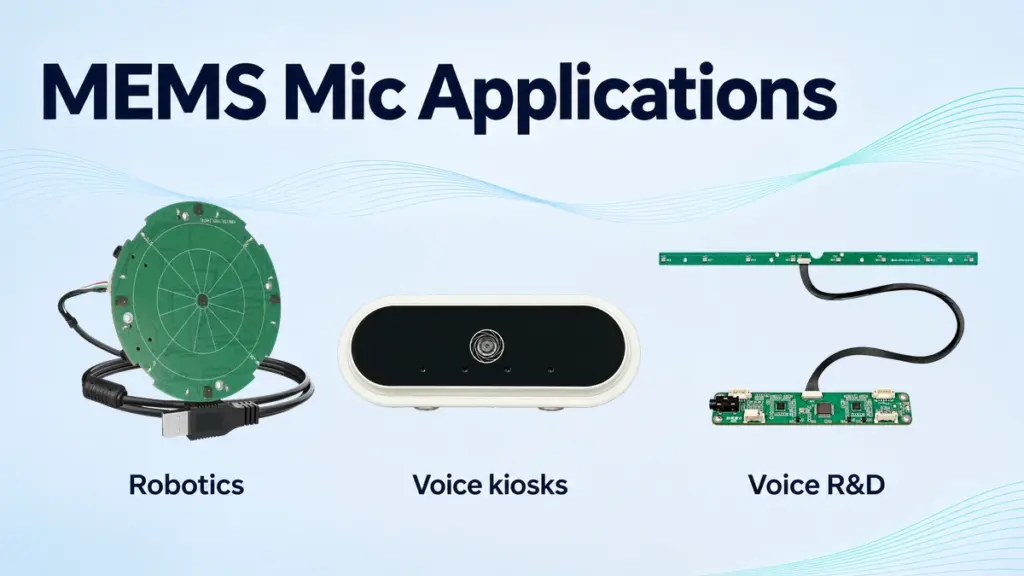
MEMS mic applications for robots, kiosks, and voice R&D
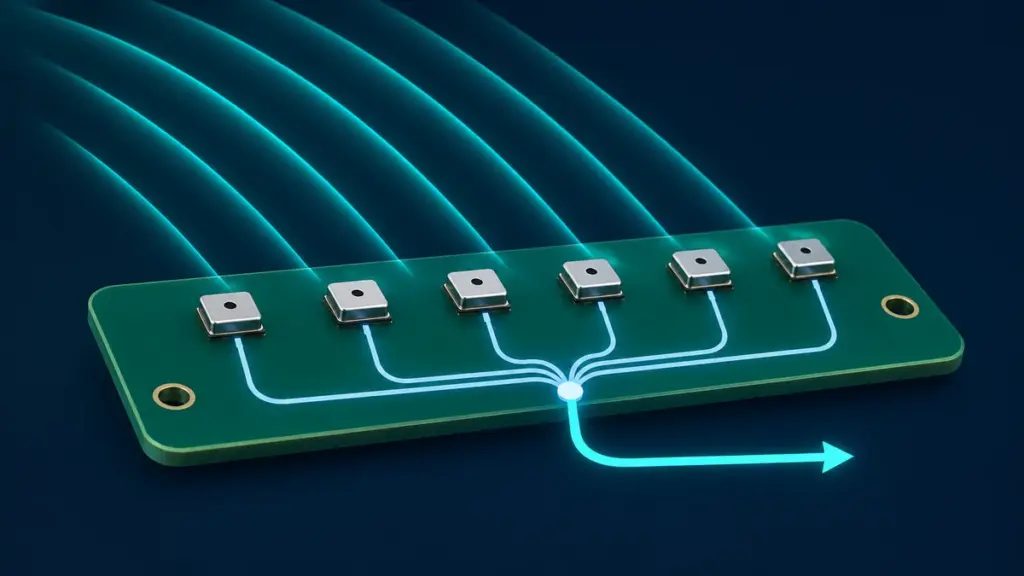
A MEMS mic is a miniature sensor that converts sound pressure into an electrical signal. In an embedded device, a single mic may be sufficient for speech from a fixed, nearby position. A microphone array gives the system multiple signals to work with when it needs to focus on a speaking area, estimate where a voice came from, or record individual channels for acoustic research.
Start with what your software needs to receive. A kiosk may need a processed speech stream, a robot may need a direction estimate alongside speech audio, and a research team may need a separate recording from each microphone. Define that output before you compare modules.
| Application | What to look for | First prototype check |
|---|---|---|
| Service robot | Broad pickup and a direction-of-arrival output if the robot turns toward the speaker | Compare reported direction with known speaker positions while the robot is moving |
| Self-service kiosk | Forward-focused pickup and a way to manage the terminal’s own loudspeaker audio | Check whether users at the edges of the speaking area can interrupt a spoken prompt |
| Voice and acoustics R&D | Separate, synchronized microphone channels and a capture format suited to the study | Verify channel order and relative delay before collecting the dataset |
Service robots that turn toward a speaker
A voice-controlled service robot may need to respond to someone standing beside or behind it. If the robot turns to face that person, the controller also needs a direction-of-arrival (DOA) estimate. Decide how the controller should respond when the estimate is ambiguous, such as when two people speak at once.
HK-QXMIC-V3.0 combines a five-microphone circular array with 360° omnidirectional pickup and a TTL interface for direction-of-arrival data. It also has onboard acoustic echo cancellation (AEC), noise suppression, and automatic gain control. It’s a candidate when your robot needs a direction estimate from the module. View HK-QXMIC-V3.0
On the assembled robot, confirm how the reported angle maps to the robot’s forward axis. Record the angle error at several known positions with the drive motors idle and running. Include a trial with the onboard speaker active so you can see whether playback triggers an unintended turn.
Self-service kiosks with a defined speaking area
A kiosk usually has a predictable interaction zone, but users will stand at different heights and may approach from one side. Mark the expected speaking positions on the enclosure drawing before fixing the array position. Include any grille or trim that will sit in front of the microphones.
M40D combines four digital MEMS microphones in a linear array with 60° directional pickup and an autofocus camera. It supports USB Audio Class 1.0 and includes onboard echo cancellation and noise suppression. Consider M40D for a forward-facing terminal that needs both audio and video. View M40D
Use the terminal’s actual prompts and recognition software during testing. Check whether a user can say a command while the prompt is still playing, then repeat with someone talking just outside the interaction zone. Record missed commands and unintended activations separately. For a fuller test sequence, see our voice kiosk microphone evaluation guide.
Voice and acoustics R&D with raw multichannel capture
Experiments in beamforming or sound-source localization often need a separate signal from each microphone. Keeping the channels lets you run different algorithms against the same recording. The geometry and channel order matter because spatial algorithms use differences in when sound reaches each microphone.
HK-ARRAYMIC-RAW-V1.0 provides eight synchronized raw audio channels from a linear array over USB, with 16 kHz, 16-bit capture. Evaluate it if your host will run the processing and that capture format covers the frequency band your experiment needs. View HK-ARRAYMIC-RAW-V1.0
Before collecting a dataset, confirm that your recording software saves all eight channels in the expected order. Make a short recording with a loudspeaker at a known angle and use it to check relative arrival times against the array geometry. Save the channel map and gain settings with the recordings so you can repeat the test.
FAQs
Can a single MEMS mic work in a voice-enabled device?
Yes. A single mic can be suitable when the user speaks from a known position and the application needs one audio channel. Consider an array if you need spatial processing, such as beamforming or direction-of-arrival estimation.
Does 360° pickup tell a robot where the speaker is?
360° pickup describes coverage around the device. To turn toward a speaker, the robot also needs direction-of-arrival data from the module or an estimate computed on the host from individual microphone channels.
Does a four-mic array deliver four channels to the host?
The channel count available to the host depends on the module’s output configuration. Onboard processing can combine several microphone signals into fewer streams. Check the channel map and make a test recording through your application.
For component-level questions about analog, PDM, and I²S outputs, see our MEMS microphone selection guide. If you’re evaluating a HAOKAI module, share your enclosure layout, expected talker positions, and required host output so we can help you compare the options. Contact HAOKAI
You May Also Like
8 MEMS microphone array: applications and design considerations
Explore how an eight-element MEMS microphone array can support robotics, conferencing, voice control, and acoustic research, with practical guidance on...
Microphone array vs. single microphone: What is the difference?
Compare microphone arrays and single microphones for embedded voice systems, including directional pickup, processing, host audio, and HAOKAI module selection.
Audio array mic for voice kiosks: How to test speech capture
Test a microphone array for voice kiosks using realistic customer speech, competing talkers, loudspeaker playback, and recognition results in the...
Mic array meaning: What is a microphone array and how does it work?
Understand what a mic array means, how it works, and how to compare microphone count, directional pickup, audio processing, and...